What Styles Gallery does
The gallery shows you design decisions. The extension puts the one you picked onto the site you are actually looking at — the real running page, in one click, with no rebuild.
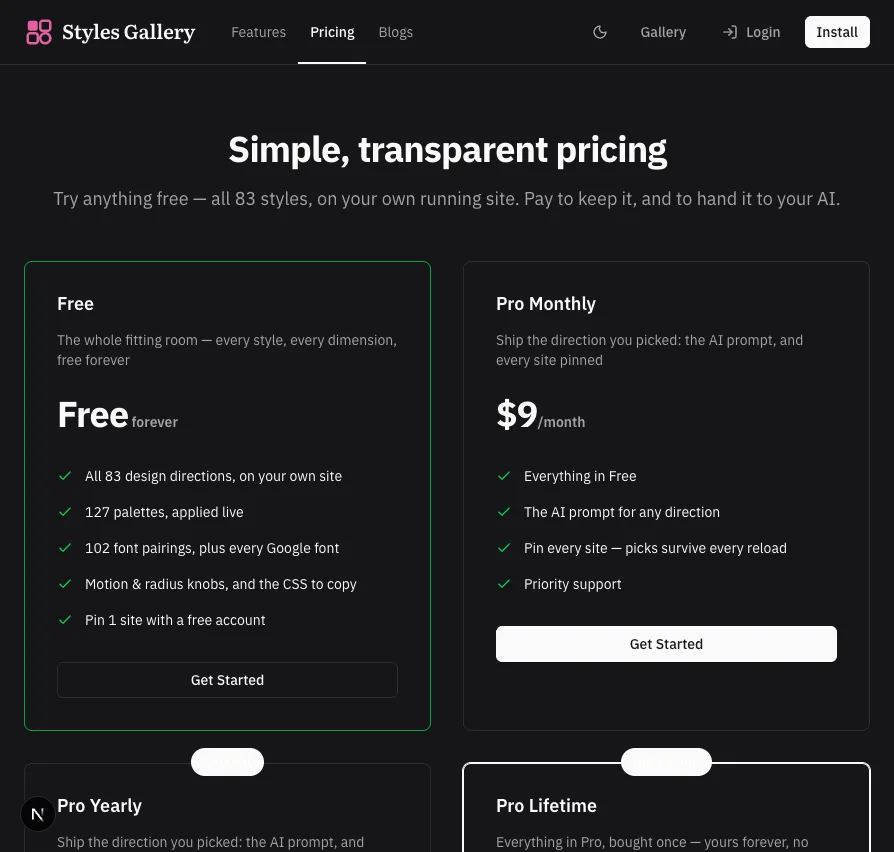
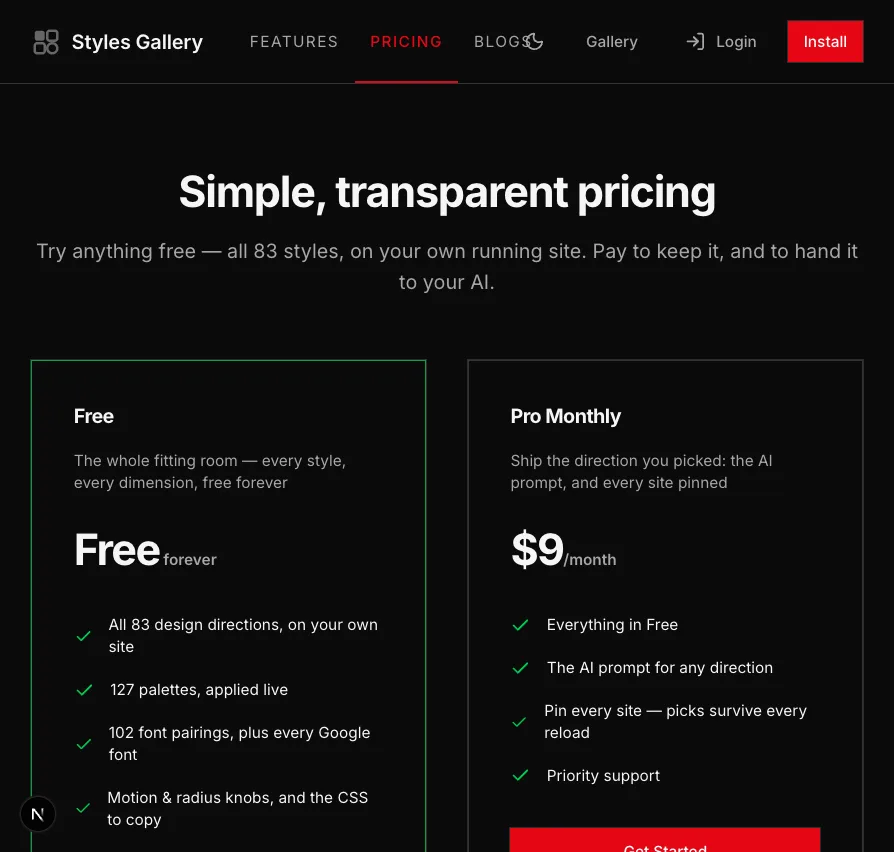
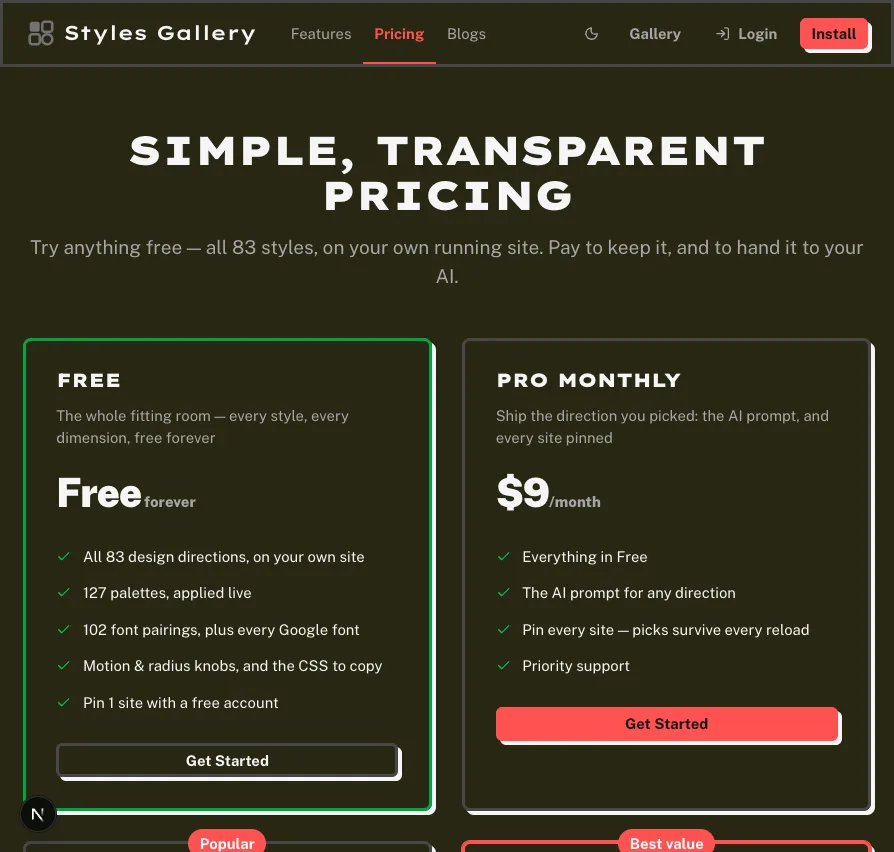
Our own pricing page, restyled live. Nothing was rebuilt, deployed, or written to disk.
All 83 design directions, on your own site
Pick the direction on the page you are actually building.
A gallery shows you a style on somebody else's mock. The question you have is narrower than that: does it work on MY page, with my nav, my seven cards, my longest heading. So the extension answers it there — the same 83 directions, painted onto the live document in front of you, in one click and with no rebuild.
Both shots below are this page, a second apart. The site did not change; one design token layer did.
For the developer who ships with AI and can pick a direction faster than they can describe one.
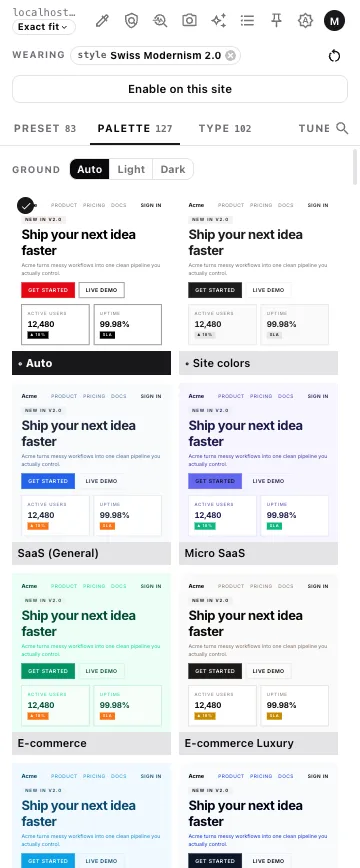
127 palettes, applied live
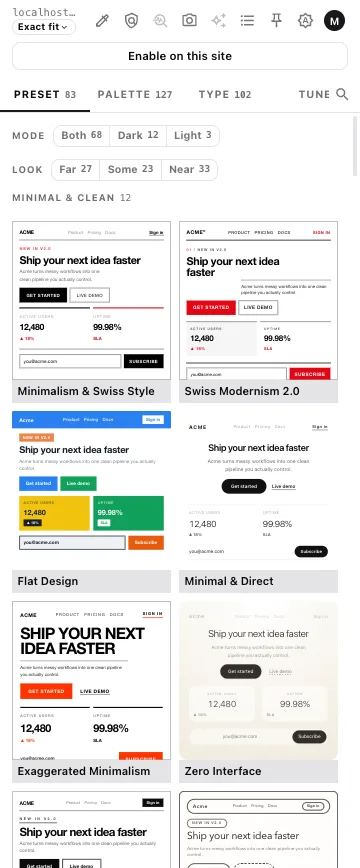
127 palettes, each already wearing a whole page.
Swatch strips are the wrong unit. Six colours only tell you anything once they are a background under a card under a button next to muted text — which is why every palette in the panel is rendered as a full mock page before you apply it, and why the one you pick lands on your site's own shadcn variables rather than on a stylesheet bolted over the top.
The eyedropper is here too: read a colour off the live page and the palette axis takes it, so a brand colour you already have can anchor a direction you are still choosing. Point it at somebody else's site instead and the whole page comes back measured — six colour roles, type, corner radius and shadow — as CSS to copy, or as a prompt that tells your AI how that site is built.
102 font pairings, plus every Google font
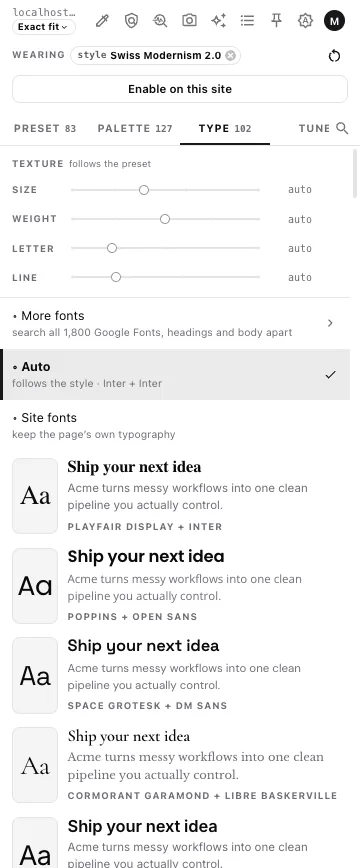
102 pairings, then all 1,800 Google Fonts when none of them is right.
Type is where a restyle is usually caught out: the pairing looks right in a specimen and wrong the moment it carries a real heading over real body copy. So the pairings are shown on the page's own sentence, headings and body are routed the way your site already splits them, and the four sliders — size, weight, letter-spacing, line height — are there for the half-step the pairing did not have.
The 102 curated pairings sit above the free-text search, never under it: a search box over 1,800 families is a way to spend an afternoon, and the curated list is the shortcut you actually wanted.
For the person with no type degree who still has to make the call today.
Motion & radius knobs, and the CSS to copy
Nudge one dimension without disturbing the other four.
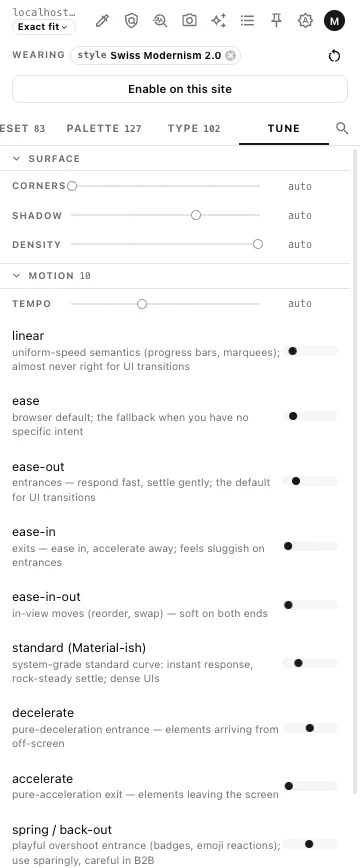
Corners, shadow, density, tempo and the easing curve are separate knobs, and they are separate because a direction is almost never wrong all over — it is one notch too round, or a beat too slow. Every easing is replayed on a real element with a plain-language note about what it is FOR, so the choice is a judgement rather than a guess between ten cubic-bezier strings.
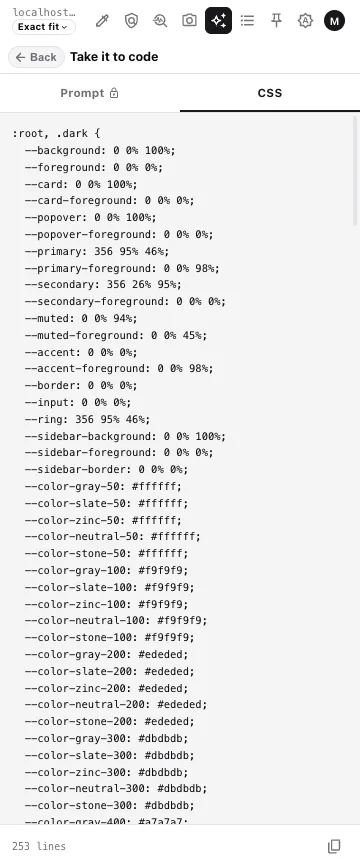
Whatever you land on, the CSS tab hands you the bytes that are painted on the page — variables, radius ladder, type scale, the letter-spacing rules by role. That tab is free and always will be: it is your page's own computed style, and a paywall in front of DevTools would be theatre.
The AI prompt for any direction
PROThe direction, in the form your AI can build from.
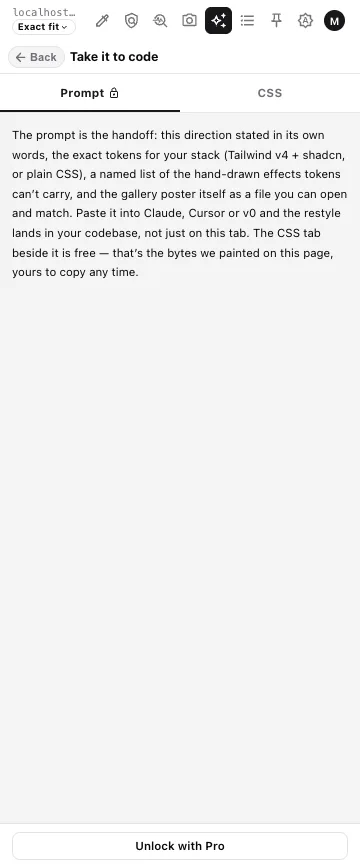
The CSS says what the page looks like now. The prompt says what the direction IS — stated in its own words, with the exact token values for your stack (Tailwind v4 + shadcn `@theme`, or plain CSS with a where-each-value-goes recipe), a named list of the effects tokens cannot carry, and the gallery's own poster shipped as a runnable file the model can open and match against.
That last part is the whole difference. The community's answer to "my site looks AI-generated" is: give the model a real reference. Every other tool in this category can only extract from a page you already have. This one does both — a direction you just chose out of the catalogue, or any real site read off the live page, each with the numbers attached and each written up in its own words.
For the contractor showing a client three directions on Monday and merging one of them by Friday.
Pin every site — picks survive every reload
PROA reload should not undo an afternoon.
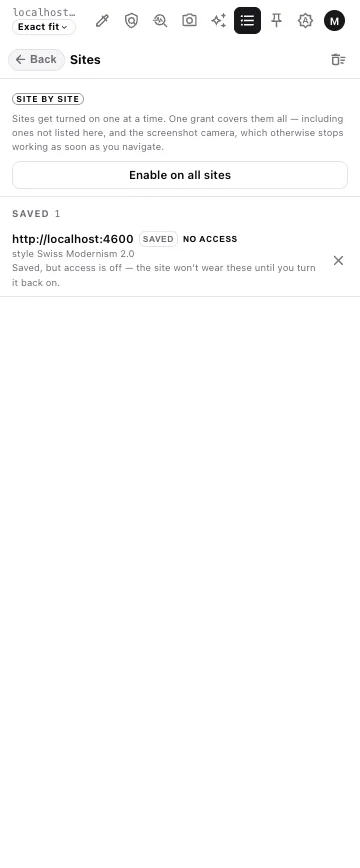
Without a pin, a restyle lives exactly as long as the tab does — fine for a look, useless for a decision you are still making on Thursday. Pinning a site re-applies your picks on every navigation and every reload, so the direction stays on while you show someone, sleep on it, and change your mind twice.
Sites are enabled one at a time, and the list is yours to see and revoke. Nothing is applied to an origin you did not turn on.
How far it reaches on your site
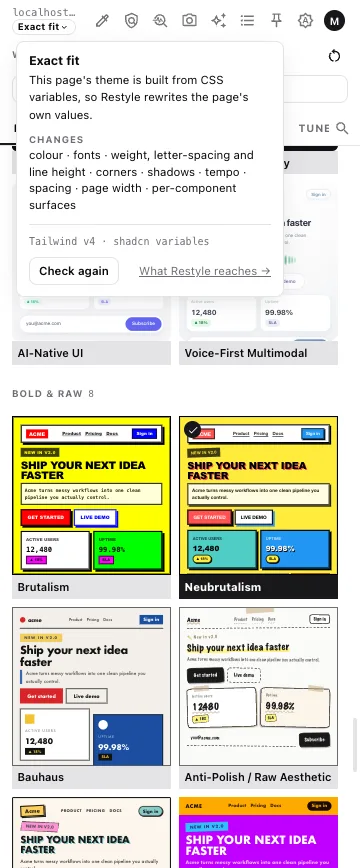
Every axis above lands on a design token, never on your markup. On a Tailwind v4 + shadcn build that is exact, because the theme is already CSS variables. Further from that it is an approximation — and the panel tells you which case you are in before you apply anything, rather than letting you find out.
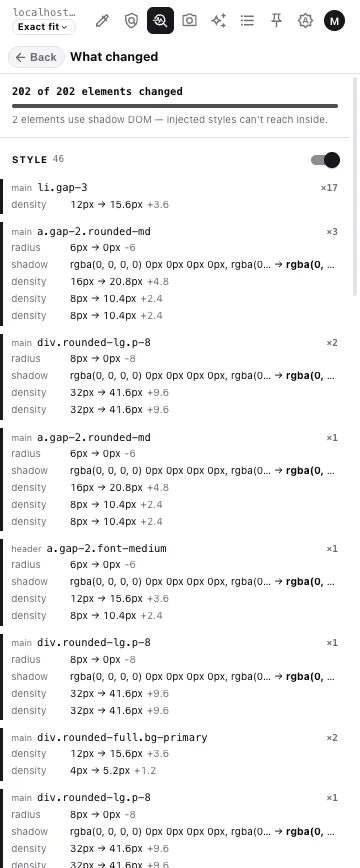
There is also a change report: every element the restyle touched, with the old value and the new one, including the ones it could not reach.
Questions people ask first
- Does it change my source code?
- No. The extension paints design tokens onto the running page in your browser and nothing leaves it. Your repository is untouched until you take the CSS or the prompt and apply it yourself.
- Will it work on my site?
- It depends on how the site was built, and the panel tells you which case you are in before you apply anything. A Tailwind v4 + shadcn build is rewritten exactly, because its theme is already CSS variables. Further from that, the result is an approximation and the extension says so rather than pretending.
- Do I need an account to try it?
- No. The whole catalogue — every style, palette, pairing and knob — works with no account at all, on your own real site. An account is free and pins one site so your picks survive a reload.
- What is actually paid?
- Two things: the AI prompt export, and pinning more than one site. Everything you use to decide is free, including the CSS the extension painted on the page.
- Does it collect my browsing data?
- No browsing data is collected. Your picks are stored locally in the browser, and the only request the extension makes to this site is the one that asks whether you are signed in.
- Can I undo a restyle?
- Yes, two ways — take one layer off, or take everything off, both from the panel. Reloading an unpinned page also returns it to normal, because nothing was ever written to the site.